
How the Osage County Court Calendar Works
The Fourth Judicial District calendar index posts separate PDF webdockets for Osage County settings. There is one file per judge. Current calendars cover Judges Eric W. Godderz, Lori D. Breshears, and Taylor J. Wine. Each PDF captures scheduled work at a moment, not a full case history. District staff try to update daily. Still, a recent continuance or docket change can slip past the file. The generated range only shows what the export spans. It does not prove every setting still stands. Four counties share this calendar system: Anderson, Coffey, Franklin, and Osage. That regional setup is why several judicial names appear. They show up while you chase one Osage County case. Open the Osage-specific link first. Then read the county heading printed in the PDF. That heading plus the case number matters more than a judge's name. A district magistrate assignment stays within Kansas District Court. A city municipal setting runs on a separate local calendar.
Search Osage County Judge PDFs
Open the current Osage judge file and press Ctrl+F. Search by case number, date, attorney, judge, or setting type. A fragment like OS-2026-CR narrows the calendar fast. If you do not know the assigned judge, search every current file. The row will turn up.
- Open the district calendar index.
- Select an Osage judge PDF.
- Note its generated date range.
- Match the case code and setting.
- Confirm a critical date with the clerk.
The official source shown here carries the calendar index and update warning.
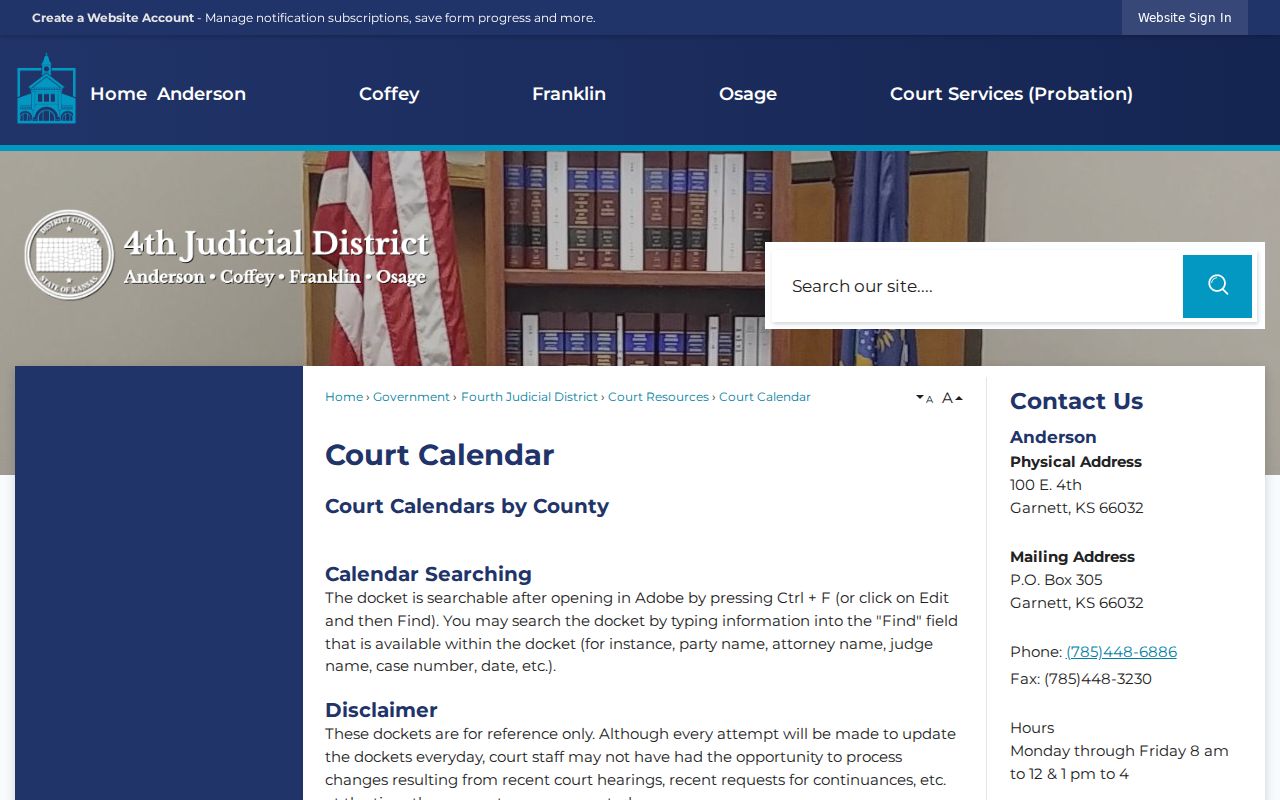
The index matters because settings are split by judge. A PDF name search is rougher than a portal search. Similar names crowd several rows. Before trusting a row, match the party role, case code, judge, and setting date. With no case number in hand, search the last name in each current Osage PDF. Compare what you find against Kansas Case Search. A missing PDF match does not mean the case does not exist. The setting may fall outside the generated range. It may have moved, or may sit with a municipal court.
Osage County Court Date Lookups
For a district matter, check the judge PDF against Kansas Case Search. Need a setting right now? Call the Osage Clerk of the District Court at 785-828-4514. You can also use the courthouse terminal. Or ask counsel. A city citation goes to that municipal court clerk. The Osage County docket search walks through the full name-and-number workflow.
- Read the court name on the notice, citation, or filed document.
- Search the current Osage judge PDFs and the statewide case portal.
- Compare the complete case number, judge, date, and setting label.
- Call the district clerk for a district case or the named city clerk for a municipal case.
- Ask whether a printed calendar is posted at the court if remote sources do not resolve the date.
The Osage clerk also helps at the counter, 717 Topeka Avenue in Lyndon. A written request can identify a case and the docket record you want. Mail is slow for an urgent date check. The public courthouse terminal earns its keep in one spot. Use it when public information or eligible converted documents are not available remotely. These channels work best together. No channel turns an old calendar copy or a payment receipt into proof of a current setting.
Osage Webdocket Fields Decoded
One row can carry date, time, case number and type, party role, attorney, judge, setting, and notes. Read the whole line. Small flags like "Zoom," "in person if needed," and "set over" each change what the entry means.
- CR
- Criminal case.
- CV
- Civil case.
- DM
- Domestic case with added access limits.
- LM
- Limited action case.
- TR
- District traffic case.
A hearing label is not a judgment or disposition. Other codes appear in the local calendar material too. JC stands for child in need of care, and JV for juvenile offender. MR covers a miscellaneous or other nonstandard district matter. The clerk can confirm that abbreviation's exact local expansion. JC and JV labels also warn that privacy rules may limit public detail. Event names explain why time was reserved. Think of Answer Hearing, Motion, Ruling, Preliminary Hearing, Diversion Status, Sentencing, and Jury Trial Case. They say nothing about what the judge decided. The later event index or the filed order supplies that answer.
Court Settings: What Each Field Means
Read an Osage County setting as linked fields, never one line alone. No single field proves the hearing happened or that an order followed.
| Date | The scheduled day. |
|---|---|
| Time | The listed start or shared docket time. |
| Appearance | Remote, in-person, or other protocol note. |
| Judge | The assigned judicial officer. |
| Setting | The purpose of the scheduled event. |
Compare every field with the current case entry. Party roles put a row in context. Civil entries may name a plaintiff and defendant. Domestic entries a petitioner and respondent. Criminal rows a prosecutor and defendant. A guardian ad litem can appear in a care-related matter. Notes may add a connection method. A bond or payment reference, a reset, or "in person if needed" can also appear. Read notes beside the formal setting type. If a note clashes with a newer order, the newer court record controls.
Osage County Remote Hearings
Hearing format in Osage County depends on the judge. The Fourth Judicial District publishes protocol for each judge's docket. Some settings happen by Zoom. Others require you to appear in person. A public Zoom link is not permission to record or rebroadcast the hearing. Assignments and links can change. Read the docket note for your exact setting and call ahead if the format is unclear.
Note: Remote access changes nothing about filing deadlines. It also changes nothing about conduct rules, or the duty to appear as ordered.
The protocol sorts hearings by category instead of making everything remote. Status conferences, diversion reviews, pleas, sentencings, and limited-action settings may offer a choice. That choice is either Zoom or the courtroom. Preliminary hearings, bench trials, and certain care proceedings sit on the in-person list. Those examples describe the rule. They do not create remote rights in any particular case. Use the connection instructions tied to your current setting. Ask the clerk when a calendar row makes no sense. Watching a hearing in public still does not authorize recording or rebroadcasting it.
When an Osage County Court Date Moves
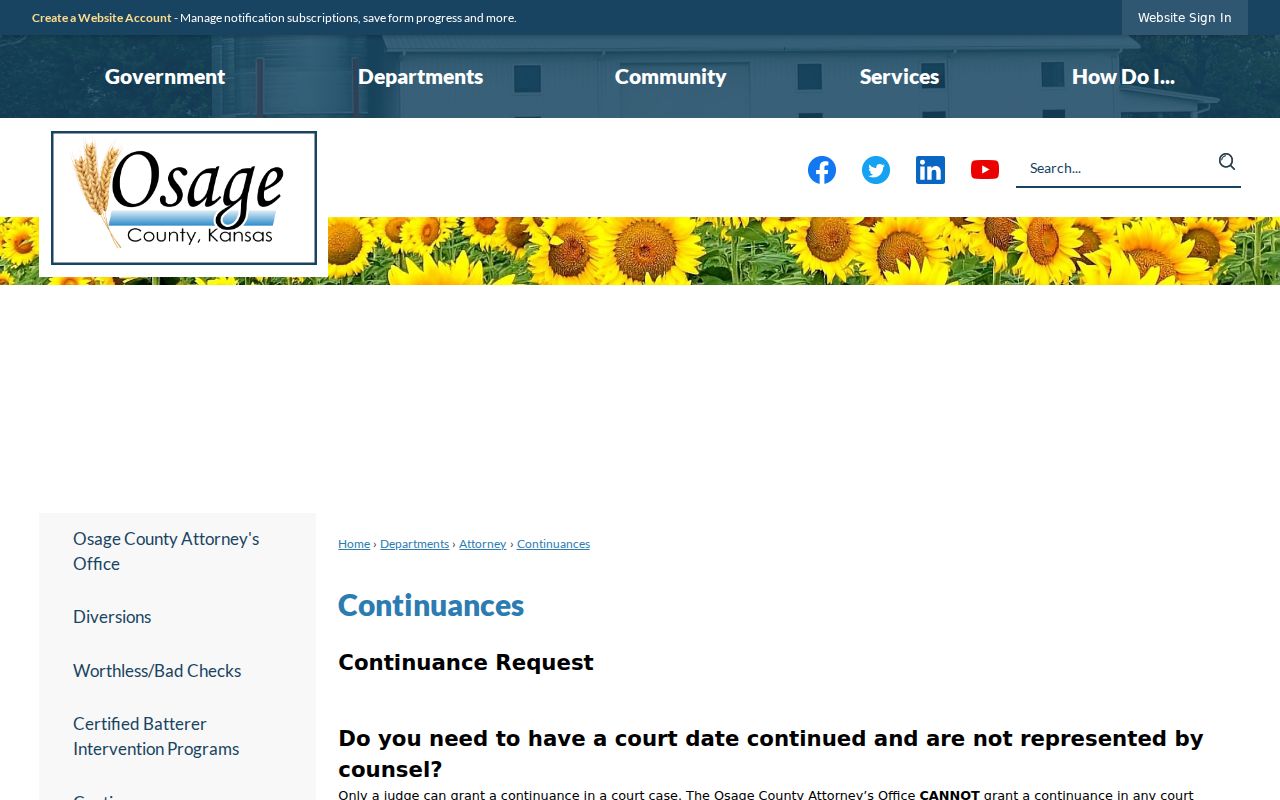
Continuances and resets both change dates, in different ways. A continuance moves a hearing by court order. A reset simply assigns another date.
Under the Osage continuance procedure, only the judge may grant one. No hearing is continued by phone. A complete pro se motion must reach the court before the hearing by mail, fax, or hand delivery. The official page documents the local rule.
A docket row that vanishes or moves is not proof of dismissal. Check the events index. Then confirm against the clerk record.
Requests and orders are different docket events. Mailing, faxing, or hand-delivering the pro se form places a request before the court. Only the judge can grant it. Neither the County Attorney nor court staff can continue a hearing. Staff cannot do it by phone. Until an order changes the setting, plan around the date already shown. A later status conference or “set over” note may point to a new date. The safest check remains the latest event entry plus confirmation from the clerk.
Osage Sealed Calendar Placeholders
A webdocket in Osage County may show “********* Sealed *********” in place of a case row, along with limited scheduling context. That text is an access boundary. It is not a clue to decode, and sealed records stay unavailable through the portal and the courthouse terminal.
Calendar limit: A setting may be visible while the case identity and protected record stay closed.
Juvenile, care, expunged, and other restricted matters follow special rules.
Osage County Calendar Sources
Each calendar source answers a different question. Keep the source and the date checked with any note you make.
| Source | Best use | Limit |
|---|---|---|
| Judge PDF | Upcoming settings | Snapshot may lag |
| Kansas Case Search | Public case events | Some records excluded |
| Courthouse kiosk | Public older documents | No sealed access |
| District clerk | Current confirmation | No legal advice |
A payment screen replaces none of these court schedule sources.
City schedules add another layer. Osage City and Overbrook each hold third-Friday sessions, at different times. Carbondale runs a second-Tuesday schedule. Lyndon uses the third Wednesday. Burlingame posts no current public municipal calendar. Those recurring dates tell you when a court usually meets. They do not tell you when a named case is set. For a municipal ordinance or city traffic case, contact that city's own court clerk. State-law matters filed in Osage District Court stay on the district calendar. That calendar sits with the district clerk.
Missed Settings and What Comes Next
Call counsel and the correct court right away. For a district case, phone the Osage clerk. For a city case, phone that municipal court. The local continuance form cannot be filed after a missed hearing as a substitute for addressing the absence.
Missed a Setting? A missed appearance can lead to a failure-to-appear response or other court action.
Contact the court and counsel promptly, then follow current directions.
Save the case number, the setting, and the date checked. Staff can then find the right record fast.
If the courthouse office is closed, check the Fourth Judicial District notice feed. Follow any case-specific direction it gives. A general closure can delay counter service without canceling a hearing. A closed window does not erase the court date. Record whom you contacted, when, and which source you used. That short log helps distinguish an old PDF from a later instruction and gives counsel enough context to address the missed setting.